Your Home Assistant
on your TV
Homeboard is a Home Assistant client for the television. It connects to your server and builds its own interface: your areas become rooms, your devices sort themselves. Nothing to configure, nothing to lay out.
Nothing to configure. Everything builds itself from your Home Assistant.
There is no dashboard to design, no cards to place, no YAML to write. Homeboard reads your Home Assistant directly and lays itself out. Add a device to Home Assistant and it appears on the television, with no second setup to keep in sync.
- 01Your areas become rooms
Homeboard reads the area registry. The rooms you already named in Home Assistant are the rooms you get.
- 02Your devices sort themselves
Each entity is placed by its own area, or by its device's area. Lights with lights, covers with covers, no list to maintain.
- 03What you hid stays hidden
Entities marked hidden in Home Assistant do not appear. Your existing choices are respected rather than asked again.
- 04No server yet? A demo is built in
Six rooms, seven lights, two cameras, eighteen sensors. Every control responds, no network and no account, none of the data real.
A minute to install, and your privacy kept
Homeboard was built with privacy as a starting principle. No password passes through our servers, nothing from inside your home reaches them, and no profile is built about you. You can use Homeboard with an easy mind.
Installing
- 01Install from the store
Search for Homeboard on your television. Nothing to sideload, one click is enough, and no expertise required.
- 02Pick your server from a list
Homeboard finds Home Assistant on your network and shows what it found, with the address and version of each. If you use Nabu Casa, you can also connect by typing the address on your phone.
- 03Scan a code with your phone
All the initial setup and the sign-in happen on your phone, by scanning a QR code. It is quick and straightforward, and there is no Homeboard account to create.
What we never receive
- 01Your password
It is typed on your phone, against your own server. It does not pass through us in readable form.
- 02Your access token
Created on the television and kept there. Signing out erases it.
- 03Your home data
Device states travel directly between the television and your server, on your own network. They never reach us.
- 04Anything else
No account, no advertising, no third party analytics, no tracking. The pairing step is encrypted end to end between your phone and your television.
Control your whole house with six buttons on your remote.
The Home Assistant app is powerful, but it can be daunting for anyone new to it: many options, many screens. Homeboard makes the same installation simple to use every day. Four arrows, OK and Back are enough to drive every light, cover, thermostat and camera your server exposes.
Homeboard responds only to the keys shown in colour. Every other button on your remote goes on working the television as usual.
Simple navigation, in four views
- 01Overview
Camera snapshots, a summary card per category, then one card per room.
- 02Rooms
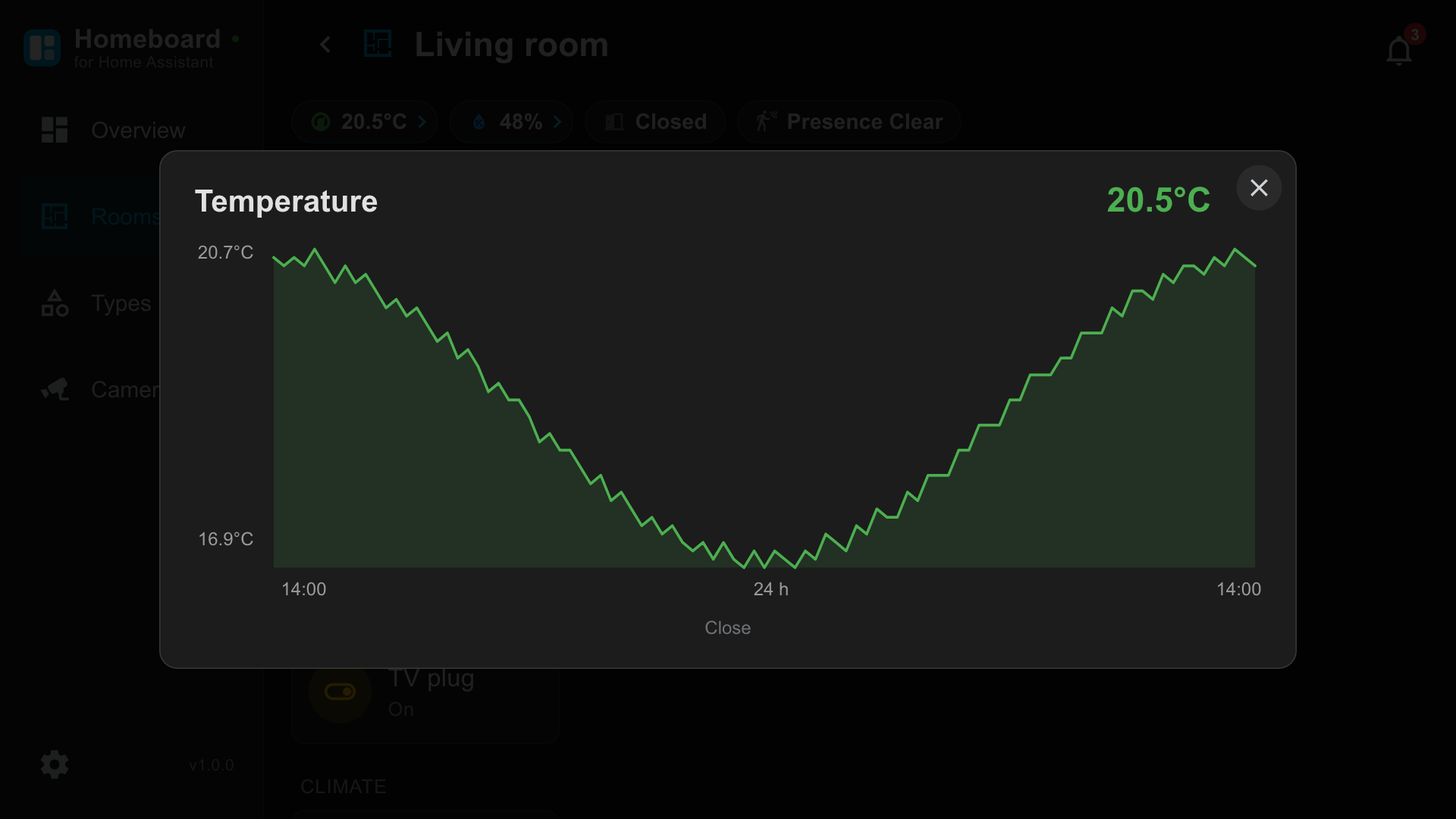
Pick a room, control everything in it, open a 24 hour chart for any sensor.
- 03Types
Devices grouped by category, active ones first, with a button that turns off a whole category.
- 04Cameras
Every camera in one grid. One press for fullscreen, left and right to move between them.
Homeboard is free
Every feature works from the moment you install it, with no trial period and no cut-down edition. No advertising, no third party analytics, and we make no attempt to find out who you are.
You can still buy Homeboard Pro for 4.99 EUR. It supports the work and removes the small reminder that appears from time to time in the interface.
Homeboard speaks ten languages
English, French, Spanish, Portuguese, German, Russian, Simplified Chinese, Japanese, Arabic and Hindi. Fully translated, demo included. Arabic switches the whole interface to right to left. Homeboard follows your television language and can be changed in Settings.
Where to install it. Homeboard is published on the LG Content Store for televisions running webOS 3.0 and later. Search for Homeboard on your television, or find it in the Content Store on the web. Support for other television platforms is planned.