What the remote reaches.
Thirteen kinds of device, a 24 hour chart for any sensor, and cameras as refreshed snapshots. All of it comes from your server, and none of it without one.
Thirteen kinds of device
Homeboard supports these domains when your server exposes them. Anything else it finds is shown but not driven.
- 01Lights
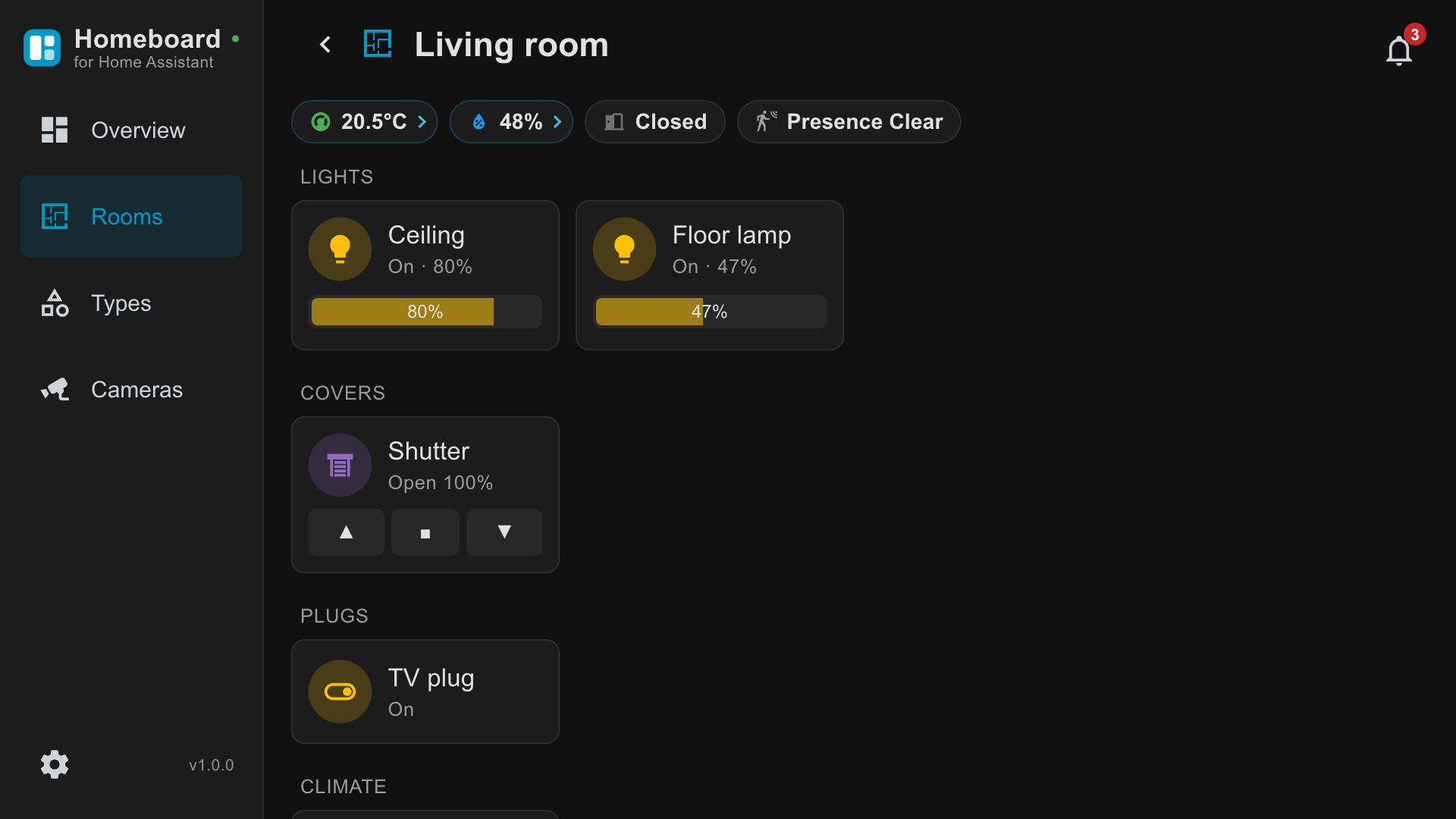
On, off, and brightness in steps of ten percent with left and right.
- 02Covers
Open, close, stop, or set a position.
- 03Climate
Read the current temperature, set the target, turn a zone off.
- 04Switches
Plugs and relays, on and off.
- 05Fans
On and off.
- 06Scenes
Run a scene with one press.
- 07Media players
Play and pause.
- 08Locks
Lock and unlock.
- 09Vacuums
Start a clean, or send the robot back to its dock.
- 10Lawn mowers
On and off.
- 11Sirens
On and off.
- 12Input booleans
The virtual switches you defined in Home Assistant.
- 13Cameras
Refreshed snapshots, in the overview and full screen.
What it shows
Sensors as chips. Temperature, humidity, door state and presence sit at the top of each room. A chip with a chevron opens a chart of its last 24 hours.
Cameras as refreshed snapshots. Not a video stream. Homeboard requests a still image from your server at an interval you choose in Settings, from two seconds to off.
Notifications from Home Assistant, with an unread counter, and the image attached to a notification if there is one.
Built for a remote, not for a mouse
- 01Six keys
Four arrows, OK and Back. That is the whole vocabulary. No other key does anything.
- 02Brightness is a mode
OK enters it, left and right change the value, OK or Back leaves it. A line under the light says which key does what, so nobody has to guess.
- 03Magic Remote
The pointer is supported. Every focusable element has a hover state distinct from its focus state.
- 04Back is predictable
It always goes up one level, then hands the television back to webOS.